Altair HyperMesh · FEA Pre-Processing
Altair HyperMesh FEA Meshing and Pre-Processing Software
High-performance finite element modeling for large assemblies: CAD import, geometry cleanup, shell, solid and hex meshing, and solver-ready models for OptiStruct, Radioss, Nastran, Abaqus, LS-DYNA and Ansys.
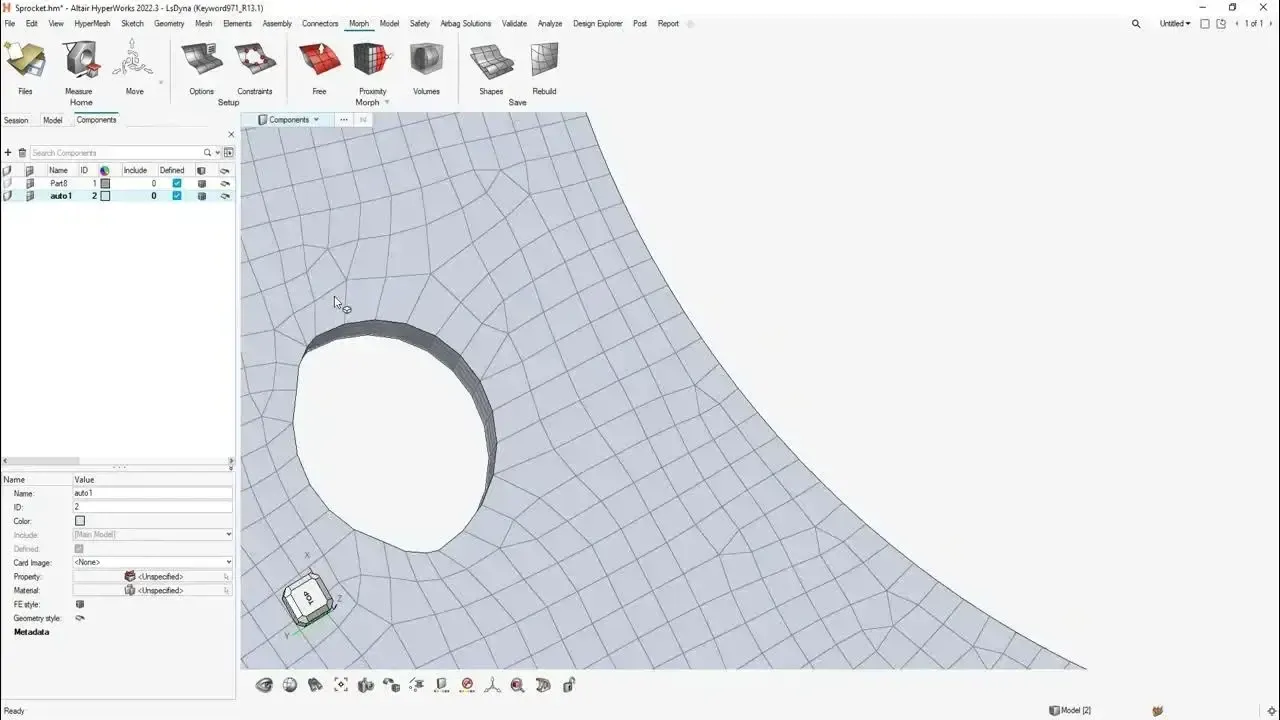 HyperMesh · Shell Mesh
Overview
What Is HyperMesh?
Altair HyperMesh is a finite element pre-processor and meshing application inside the Altair HyperWorks platform. Engineers use it to import CAD, clean and simplify geometry, build high-quality surface and volume meshes and assemble complete, solver-ready models, with precise control where accuracy matters and automation where it does not.
HyperMesh is solver-neutral and built for scale. One model can be set up for OptiStruct and Radioss or exported to Nastran, Abaqus, LS-DYNA and Ansys, and it supports FEA, CFD and SPH workflows on full vehicles, aircraft structures and industrial systems. It is the meshing heart of Altair HyperWorks, and since the June 2026 release it carries the Simcenter HyperMesh name.
- 1D, 2D and 3D Meshing With Quality Criteria Tied to Solver Requirements
- Geometry Cleanup, Defeaturing and Mid-Surfacing for Thin-Walled Parts
- Connectors, Contacts, Materials, Properties and Loads in One Model
- Scripting, Batch Processing and AI-Assisted Model Setup
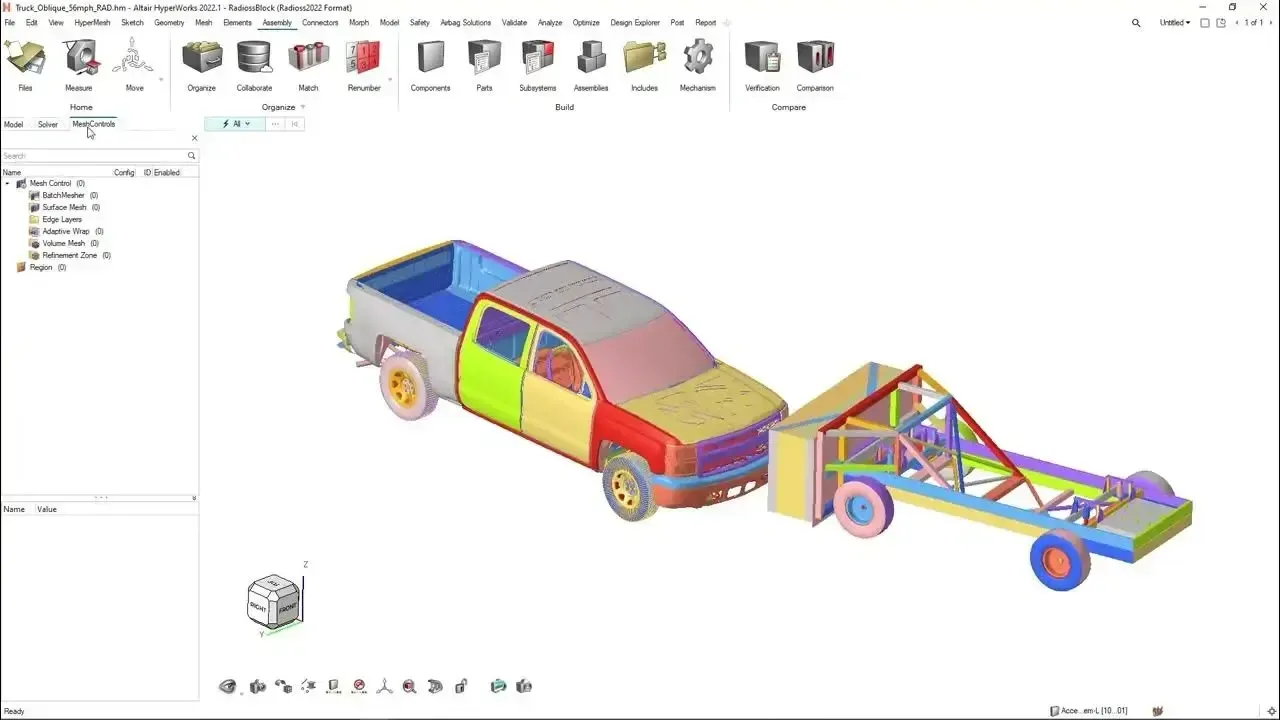 HyperWorks · Chassis Model
Why Choose Altair HyperMesh
High-Performance FEA Pre-Processing for Accurate, Scalable Simulation
HyperMesh streamlines the full pre-processing workflow, from CAD geometry to a solver-ready deck, so analysts spend their time on engineering decisions instead of model repair.
Advanced Meshing for FEA Models
Create high-quality 1D, 2D and 3D meshes with precise control over density, quality and solver requirements, with industry-leading meshing algorithms that reduce manual effort.
Composite Modeling & Simulation
Design and analyze composite structures with ply-based modeling and laminate definition, then pass them to leading solvers for accurate, efficient composite analysis.
Automated Model Build & Assembly
Automate connections, contacts and assembly configuration to cut pre-processing time and keep large, complex models consistent.
Mesh Quality Control
Check aspect ratio, warpage, Jacobian and skew against solver-specific criteria and fix failing elements in place before export.
Solver-Neutral Pre-Processing
Work across OptiStruct, Radioss, Abaqus, Ansys and LS-DYNA from one environment, with consistent data exchange and no re-modeling.
Automation, Scripting & Customization
Batch process models, enforce quality standards and plug HyperMesh into larger toolchains with scripting and APIs.
Meshing
High-Quality Meshing for Complex Assemblies
Every meshing method an analyst needs, in one tool: from quick tetra meshes for concept checks to hex meshes and mid-surface shells for sign-off models.
Shell Meshing & Mid-Surfacing
Extract mid-surfaces from thin-walled castings and sheet metal, then build quad-dominant shell meshes with control over element size, flow and feature capture.
Solid Tetra Meshing
Generate tetrahedral volume meshes for complex solids, with quality-driven controls and smooth transitions from fine to coarse regions.
Hex & Hex-Dominant Meshing
Build hexahedral meshes by mapping and sweeping where accuracy and element count matter, such as bolts, welds, seals and fatigue-critical features.
Batch Meshing
Mesh hundreds of parts unattended with shared quality criteria, so every analyst gets the same mesh from the same CAD.
Geometry Cleanup & Defeaturing
Repair gaps and free edges, remove fillets, holes and logos, and use commands such as Imprint to resolve intersections before meshing.
Shrink Wrap Meshing
Wrap dirty or non-manifold CAD in a watertight mesh when exact geometry matters less than getting a model running. Read the shrink wrap guide.
Full-System Models
Large Assembly and Full-System Modeling
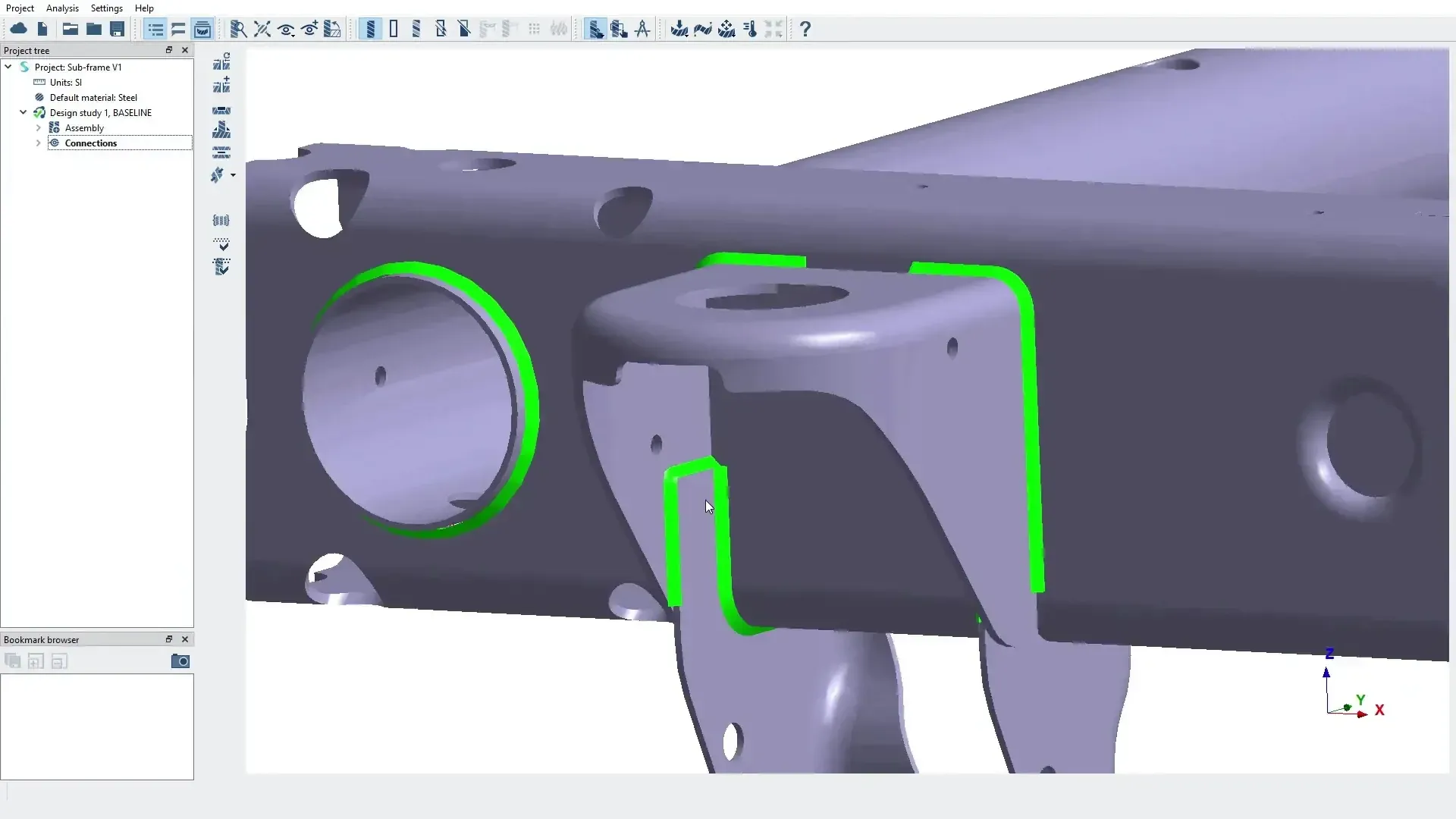
HyperMesh handles large-scale models across automotive, aerospace and industrial applications. Import complete CAD assemblies, assign meshing strategies by part family and keep the model organized with part and component structures, include files and ID ranges.
When the design changes, morph the existing mesh instead of starting over, and run model checks for free edges, duplicates, penetrations and element quality before you export.
- Organize 2D and 3D Meshes With Component Collectors
- Mesh Morphing to Explore Design Changes Without Remeshing
- Quality and Connectivity Checks Before Every Export
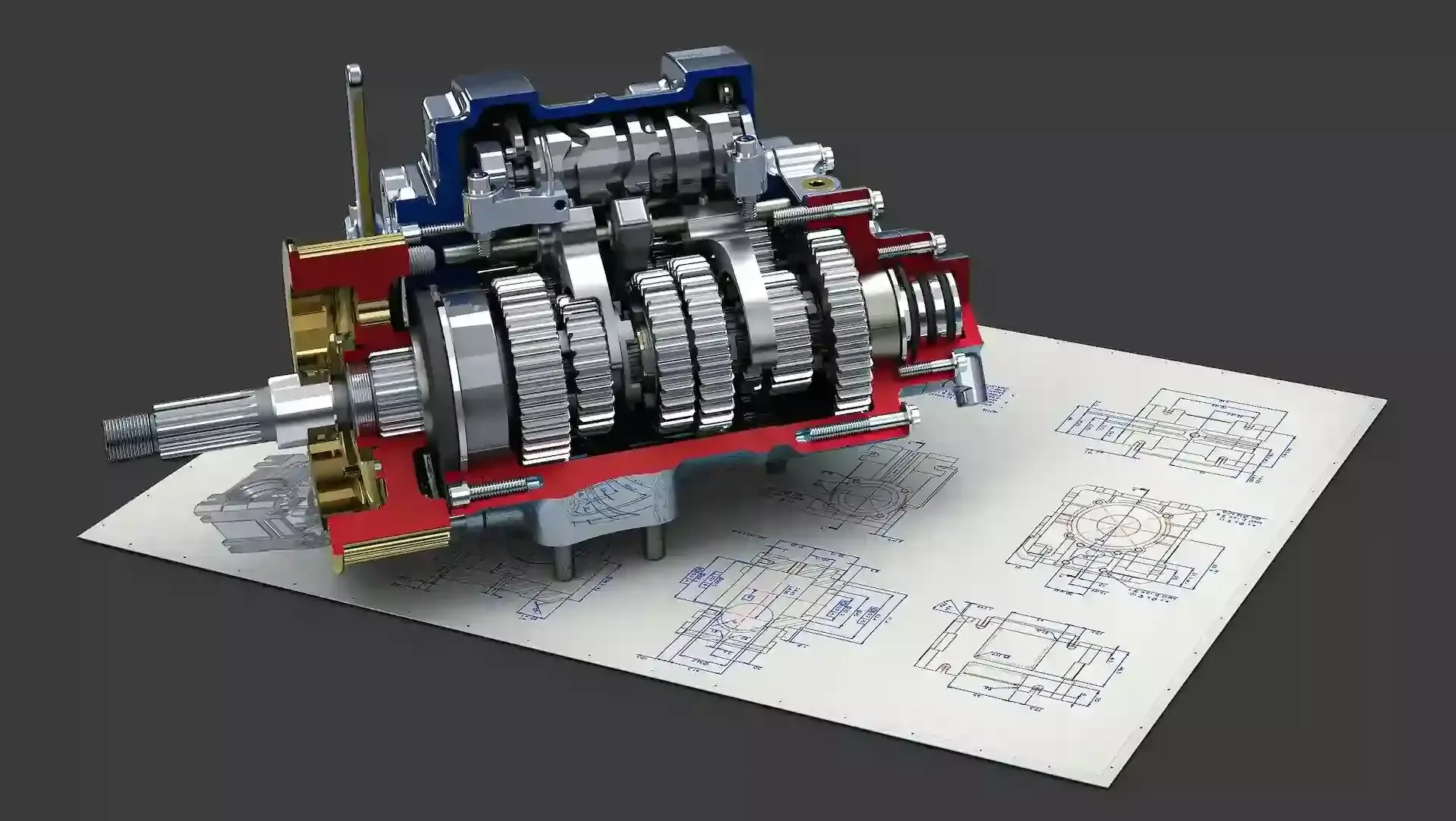 Gearbox · Full Assembly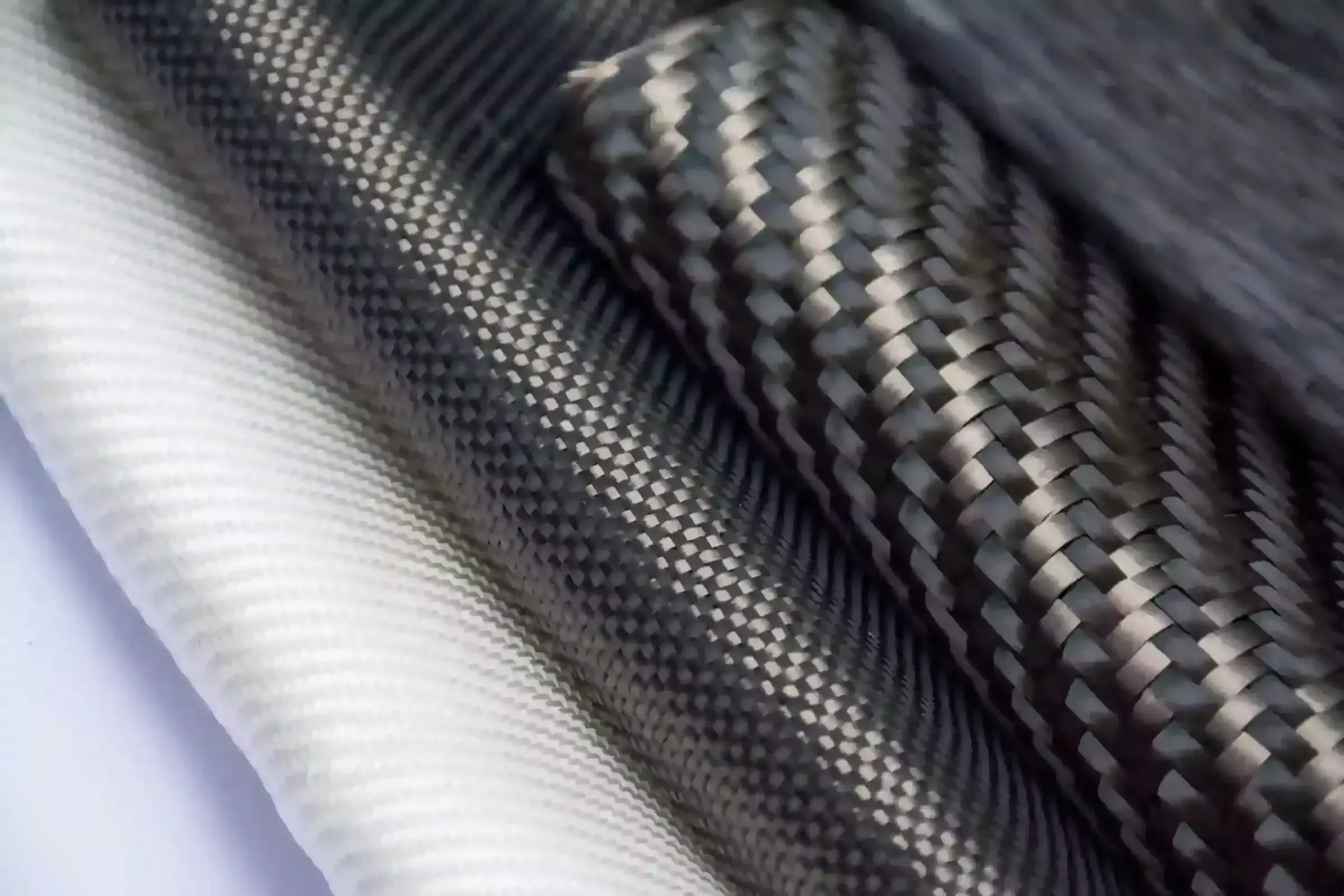
Customer Success · Duratec
Lightweight Composite Bicycle Frame Development
Duratec and Altair partner Advanced Engineering built the model of a carbon-fiber racing bike frame in HyperMesh, then optimized ply count and sequence with OptiStruct. The frame dropped from 980 g to 700 g, 28% lighter, while gaining stiffness and strength.
Solver Integration
Model Setup for OptiStruct, Radioss and Third-Party Solvers
HyperMesh separates the model from the solver. Build the mesh once, then apply solver-specific materials, properties, contacts, connectors and loads through dedicated solver interfaces and export a clean input deck.
- Spot Weld, Bolt, Adhesive and Seam Connectors Realized Automatically Across Assemblies
- Contact Surfaces and Interfaces Detected Between Neighboring Parts
- Materials, Properties, Load Collectors and Load Steps Managed in One Browser
- Model Checks for Free Edges, Duplicates, Penetrations and ID Conflicts
Pair HyperMesh with OptiStruct for structural analysis and optimization or Radioss for crash and impact, or keep your existing solver.
| Solver | Typical Analyses | HyperMesh Workflow |
|---|---|---|
| OptiStruct | Linear and nonlinear statics, NVH, durability, topology and size optimization | Native interface with load steps, responses, design variables and optimization setup |
| Radioss | Crash, drop, impact and other explicit dynamic events | Native interface for contacts, rigid bodies, materials, failure and safety models |
| Nastran | Linear statics, normal modes, frequency response and buckling | Bulk data setup with properties, materials, subcases and include files |
| Abaqus | Nonlinear statics, contact, plasticity and implicit or explicit dynamics | Steps, interactions, sections and keyword-based input export |
| LS-DYNA | Crash, occupant safety, forming and high-speed impact | Keyword-based parts, sections, contacts and control cards |
| Ansys | Structural, thermal and modal analysis with Ansys solvers | Element types, materials, properties and boundary conditions for Ansys input |
Comparison
HyperMesh vs Ansys and Other Pre-Processors
HyperMesh, Ansys Mechanical, ANSA and Simcenter 3D can all produce good meshes. The right choice depends on your solvers, model size and how much control your analysts need. Here is a neutral comparison.
| Consideration | Altair HyperMesh | Ansys Mechanical |
|---|---|---|
| Primary Role | Dedicated, solver-neutral pre-processor for building and managing finite element models | Integrated pre-processing, solving and post-processing for Ansys solvers in Workbench |
| Solver Support | OptiStruct, Radioss, Nastran, Abaqus, LS-DYNA, Ansys and more from one model | Built around Ansys structural, thermal and explicit solvers |
| Mesh Control | Element-level control of 1D, 2D and 3D meshes, mid-surfacing, hex meshing and batch meshing | Automated, physics-aware meshing with method and sizing controls |
| Large Assemblies | Common choice for full-vehicle, aircraft and system-level models | Assemblies handled inside the Workbench project, with geometry prepared in Ansys tools |
| Best Fit | Teams running several solvers, crash and NVH programs, or standardized model-build processes | Teams standardized on Ansys solvers that want one environment from CAD to results |
| Licensing | Altair Units, shared across the entire Altair portfolio | Ansys licensing, purchased from Ansys or its partners |
Many organizations use both: HyperMesh as the common modeling environment and Ansys as one of several target solvers. Other dedicated pre-processors such as ANSA fill a similar role to HyperMesh, while Simcenter 3D pairs pre-processing with Siemens NX and Simcenter Nastran.
Simcenter HyperMesh 2026
Simcenter HyperMesh 2026 Hotkeys and Ribbons
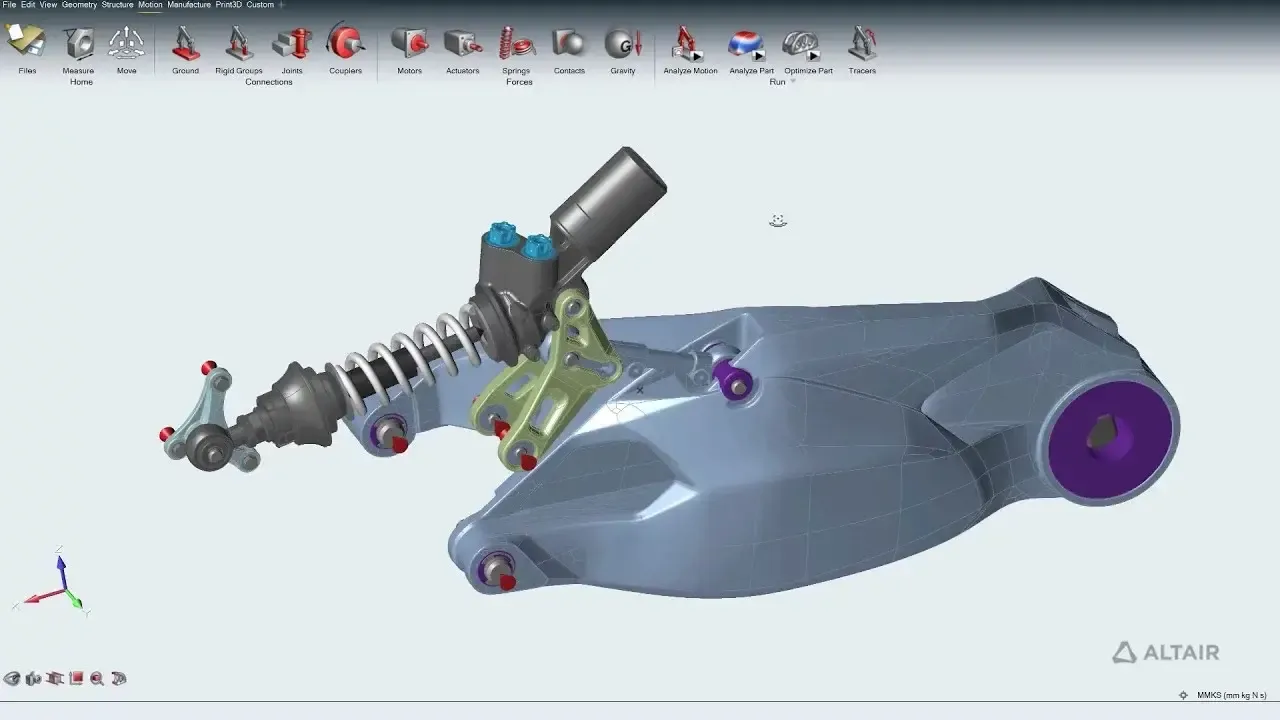
The modern HyperMesh interface replaces the legacy panel workflow with ribbons, guide bars and a model browser. Experienced users keep their speed by mapping familiar commands to custom hotkeys and building ribbons around their own workflows.
Our guide walks through customizing hotkeys and ribbons in Simcenter HyperMesh 2026, and our training covers practical tips for moving from the legacy panel interface without disrupting daily work.
- Custom Hotkeys for the Commands You Use Most
- Personal Ribbons and Workflow-Specific Layouts
- Practical Tips for Transitioning From the Panel Interface
 Daily Workflow · Ribbons
HyperMesh CFD
HyperMesh CFD for Flow and Thermal Models
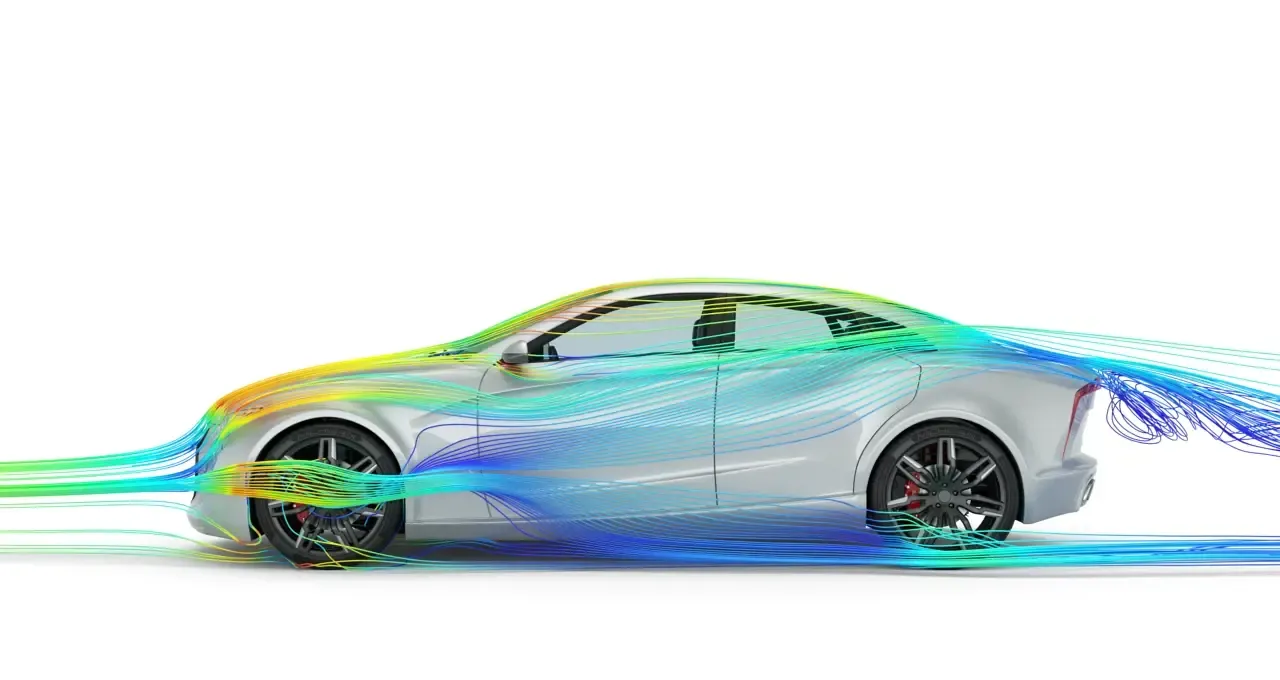
HyperMesh CFD brings the same geometry cleanup and meshing strengths to computational fluid dynamics. It prepares watertight surfaces, wraps dirty geometry and builds volume meshes with boundary layers, so flow and thermal studies start from a repeatable, high-quality model.
Use it with Altair CFD solvers or your own CFD code. Unsure which analysis you need? Read FEA vs CFD: what’s the difference.
- Surface Cleanup and Wrapping for Complex Fluid Domains
- Volume Meshing With Boundary Layer Controls
- Reusable Setups for Repeated CFD Studies
 External Aero · Streamlines
AI-Powered FEA
AI-Powered FEA With Altair HyperMesh
HyperMesh integrates AI-assisted workflows that speed up model setup by learning from existing simulation data and user interactions, reducing manual pre-processing and improving consistency.
Combined with PhysicsAI, machine learning trained on past results predicts performance in seconds, so you evaluate more design variants and save full solver runs for the best candidates.
- AI-Assisted Simulation Setup
- Data-Driven Simulation Acceleration
- AI-Enabled Design Exploration and Trade-Offs
 Machine Learning · Prediction
Licensing & Pricing
HyperMesh Price and Altair Units Licensing
HyperMesh is not sold as a fixed-price, single-product seat. It is licensed through Altair Units, a pooled subscription that also unlocks OptiStruct, SimSolid, Radioss, Inspire and the rest of the Altair portfolio.
Your HyperMesh license cost depends on how many engineers mesh at the same time and which other applications draw from the same pool. That is why we size a proposal from your workflows rather than quoting a list price.
- Annual Subscription Sized to Your Concurrent HyperMesh Users
- The Same Units Also Run OptiStruct, Radioss, SimSolid and HyperMesh CFD
- Startup, Academic and Competitive-Replacement Programs Available
- Installation, License Server Setup and Onboarding Included
Read more about Altair licensing and support or how engineering software pricing works across Altair and Siemens.
Get HyperMesh Pricing
Tell us how many engineers mesh and which solvers you use. We’ll size an Altair Units proposal.
Thanks, Your Request Is In
An application engineer will follow up with next steps.
Training & Services
HyperMesh Training and Tutorials
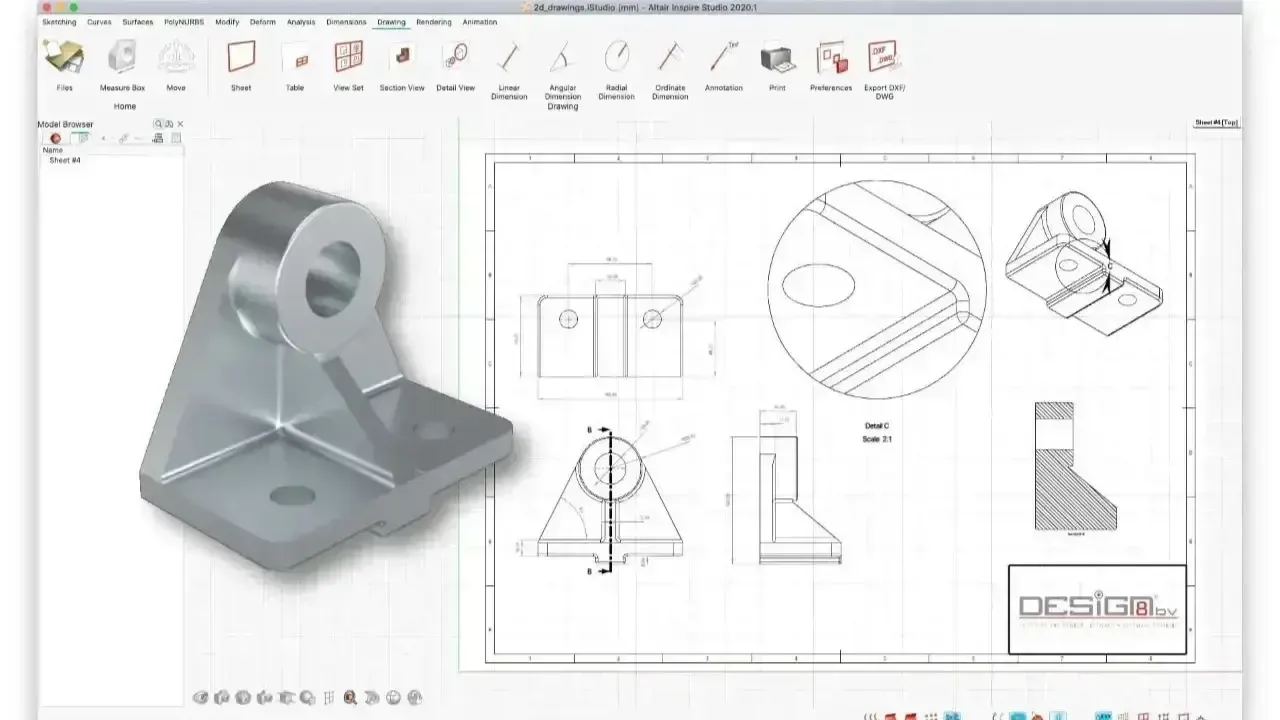
HyperMesh rewards good habits. Our application engineers run custom HyperMesh training on your own geometry, from first meshes to batch meshing, connectors, composites and scripting, and stay on call for your first projects.
Beyond training, TrueInsight provides hands-on engineering support: meshing strategies, automation, solver integration and model validation that cut setup time and improve mesh quality. Need models built for you? Our FEA consulting and training services can help.
- Transitioning From the Legacy Panel Interface to the Modern HyperMesh UI
- Using the Imprint Command to Resolve Geometry Intersections
- Assigning 2D and 3D Meshes to Component Collectors
 Custom Training · Your Geometry
Free Tutorials
- Customizing Hotkeys and Ribbons in Simcenter HyperMesh 2026Set up the modern interface around your workflow.
- Shrink Wrap Meshing for Dirty CADWhen to wrap and how to control mesh quality.
- SimSolid vs HyperMesh and OptiStructWhen you actually need a mesh.
- How to Use the Auto Contact Tool in Simcenter SimLabAutomatic contact detection for assemblies.
Try HyperMesh Free
Mesh Your Own Parts Before You Buy
TrueInsight arranges guided 30-day HyperMesh trials with installation help, a kickoff session and an application engineer to answer questions while you mesh your own geometry. Prefer to watch first? Book a live demo built around your model.
- 30 Days of HyperMesh in the HyperWorks Environment
- Help With Installation and Licensing
- Kickoff Session Focused on Your Use Case
SimSolid vs HyperMesh
SimSolid vs HyperMesh: When You Actually Need a Mesh
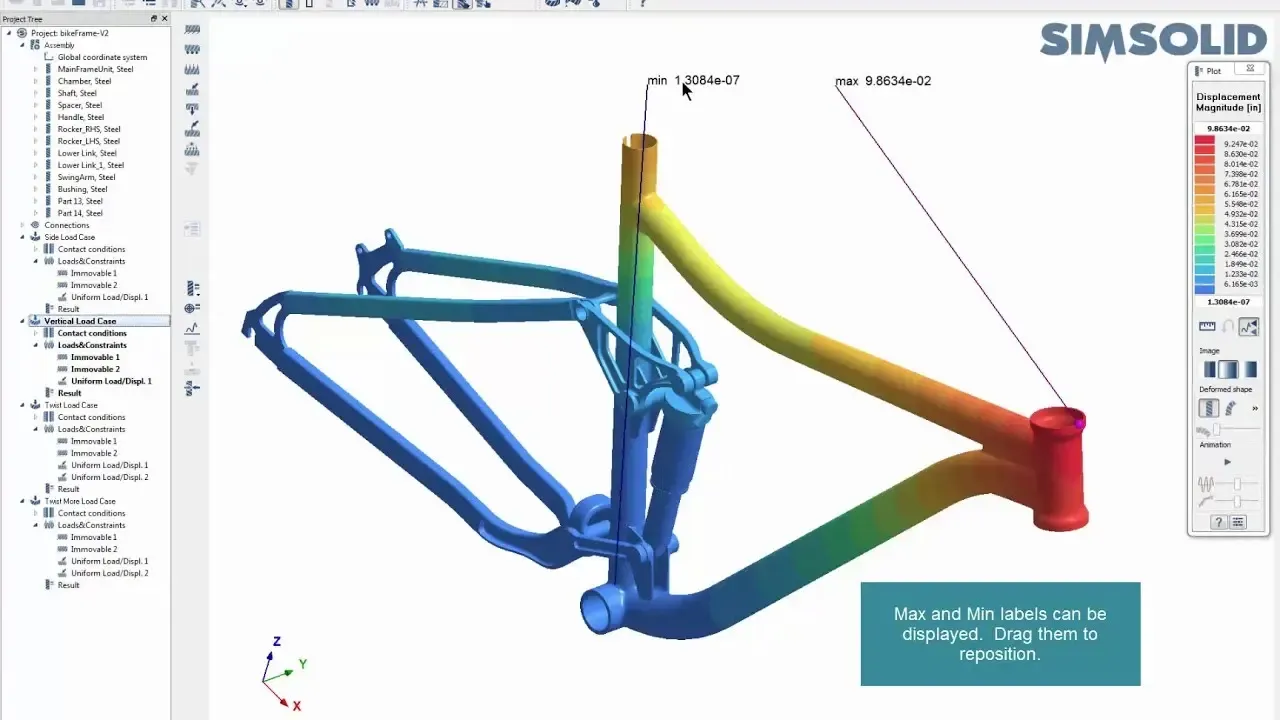
SimSolid runs structural analysis directly on CAD assemblies with no meshing, which makes it ideal for fast design studies and ranking concepts. HyperMesh gives you full control over every element when you need sign-off accuracy, nonlinear physics, crash or detailed fatigue.
Many teams use both: SimSolid to explore, then HyperMesh and OptiStruct to sign off the critical regions. Both run on the same Altair Units license.
 SimSolid · Meshless Analysis
From the Blog
Latest From the Engineering Blog
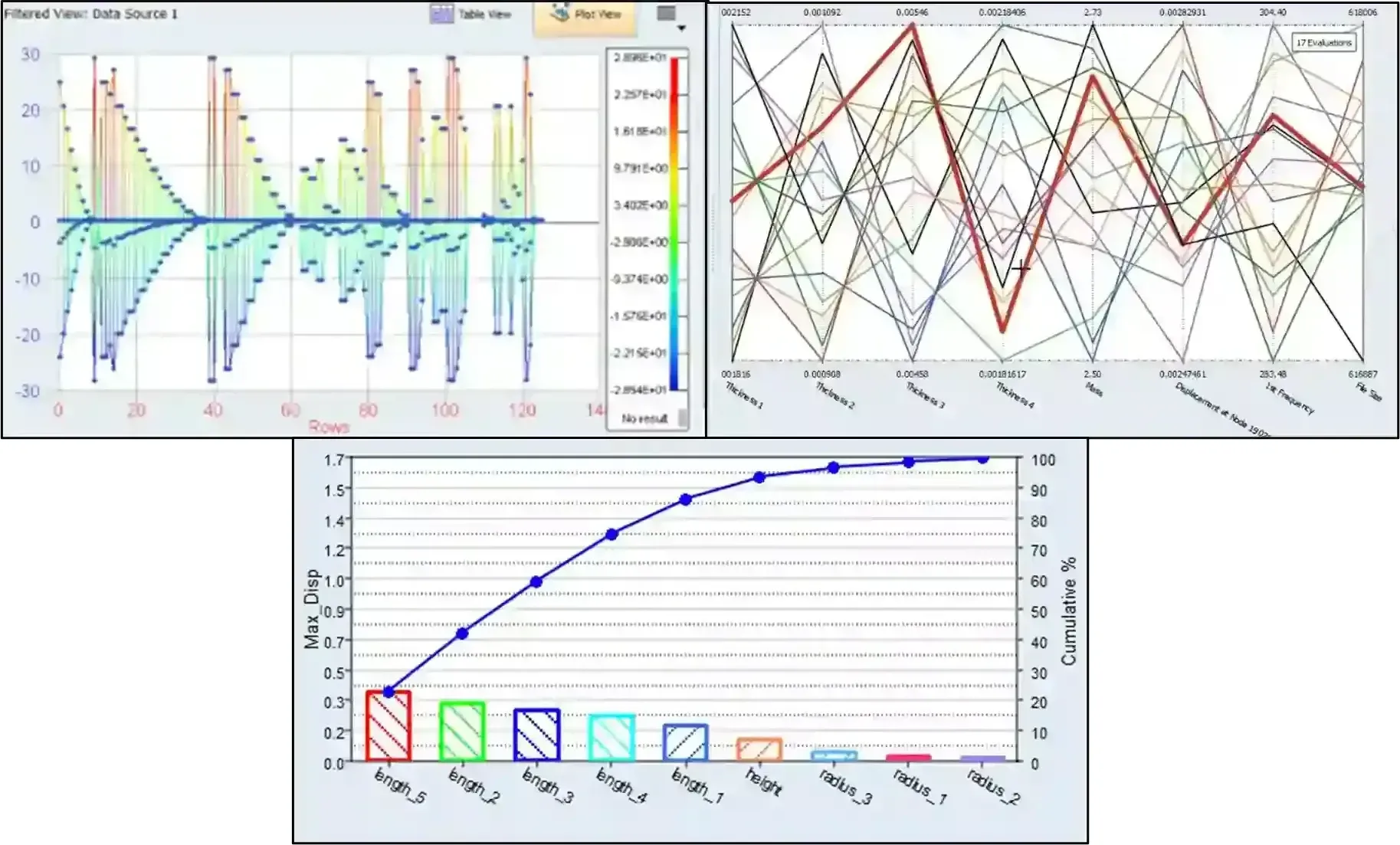
Leveraging Simcenter HyperStudy & PSIM Part 2: From Integration to Optimization
Check out part 2 in this series, where we take the coupled PSIM and HyperStudy model from DOE to optimization.
Read Article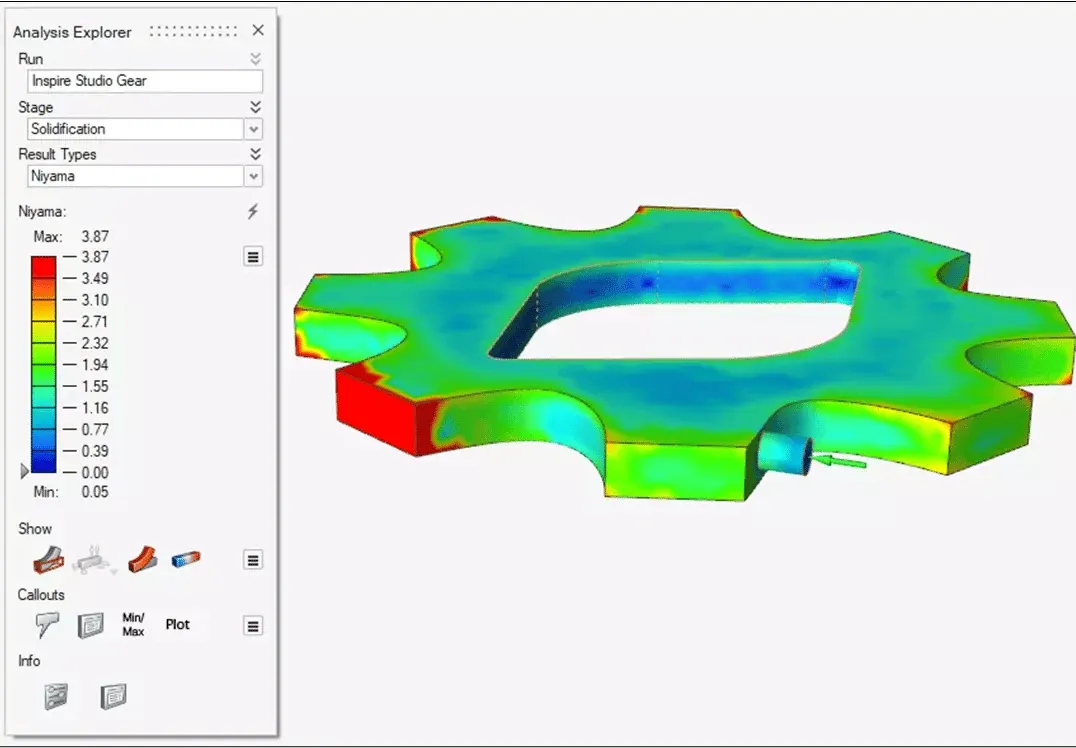
What’s New in Inspire 2026.1: Optimizing With a Porosity Constraint From Inspire Cast
New to Simcenter Inspire 2026.1 users can now factor casting porosity within a topology optimization study.
Read Article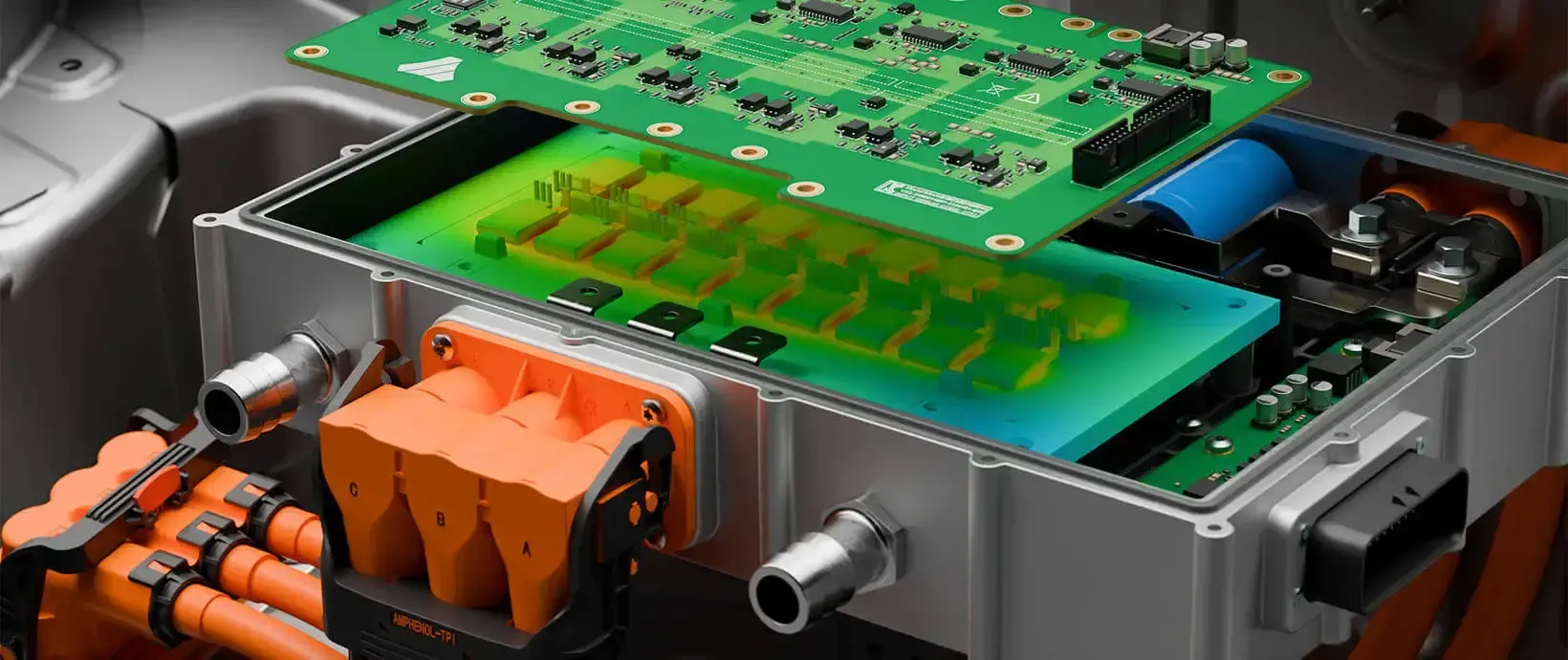
Leveraging Simcenter HyperStudy & PSIM to Optimize Circuit Design
Check out how to use Simcenter HyperStudy and Simcenter PSIM together for peak design efficiency
Read ArticleFAQ
Frequently Asked Questions About Altair HyperMesh
What Is HyperMesh?
Altair HyperMesh is a finite element pre-processor and meshing application inside the Altair HyperWorks platform. It imports CAD, cleans geometry, generates high-quality 1D, 2D and 3D meshes and sets up complete, solver-ready models for structural, durability, crash and multiphysics analysis.
What Is HyperMesh Used For?
HyperMesh is used to prepare finite element models for simulation: geometry cleanup, mid-surfacing, shell, solid and hex meshing, model assembly with connectors and contacts, and export to solvers such as OptiStruct, Radioss, Nastran, Abaqus, LS-DYNA and Ansys. It also supports CFD and SPH model preparation and composite ply modeling.
Is HyperMesh Part of HyperWorks?
Yes. HyperMesh is the pre-processing and meshing environment inside Altair HyperWorks, alongside OptiStruct, Radioss, SimSolid and HyperStudy. All of them run on the same Altair Units license.
How Much Does HyperMesh Cost?
HyperMesh is licensed through Altair Units, so there is no fixed per-seat list price. Your HyperMesh license cost depends on how many engineers use it at the same time and which other Altair applications share the same pool. Request HyperMesh pricing and we’ll size a proposal to how your team actually works.
Is HyperMesh Better Than Ansys?
They solve different problems. HyperMesh is a dedicated, solver-neutral pre-processor that excels at detailed mesh control, large assemblies and multi-solver workflows. Ansys Mechanical integrates meshing with Ansys solvers in one environment, which suits teams standardized on Ansys. Many companies use HyperMesh to build models and export them to Ansys among other solvers.
Can I Download HyperMesh for Free?
Commercial use requires a license, but you can evaluate it at no cost. TrueInsight arranges a guided HyperMesh free trial with installation help and an application engineer on call. Students can get a free Student Edition of HyperMesh through Siemens’ academic program.
Is HyperMesh Solver-Neutral?
Yes. HyperMesh is designed as a solver-independent pre-processor, so engineers can work with multiple solvers without changing their modeling environment or workflows.
Can HyperMesh Handle Large and Complex Assemblies?
Yes. HyperMesh is widely used for large-scale models such as full vehicles, aerospace structures and industrial systems, with efficient handling of complex assemblies and large model sizes.
Does HyperMesh Support Composite Modeling?
Yes. HyperMesh includes dedicated tools for composite modeling, including ply-based design, laminate definition and validation for composite simulation workflows.
What Is Simcenter HyperMesh?
Since Siemens acquired Altair in 2025, HyperMesh carries the Simcenter brand from the June 2026 release on, as Simcenter HyperMesh 2026.1. It is the same pre-processor, and TrueInsight licenses and supports it under either name. See our guide to hotkeys and ribbons in Simcenter HyperMesh 2026.
How Does TrueInsight Support HyperMesh Users?
TrueInsight provides HyperMesh licensing, onboarding, technical support and workflow guidance, from meshing strategy and automation to solver integration and model validation, so teams adopt HyperMesh faster and use it effectively on real engineering problems.
Related Pages
More Altair Simulation Software
Altair SoftwareThe complete Altair portfolio, now part of SiemensGet Started
Ready to Take the Next Step With HyperMesh?
Whether you’re evaluating HyperMesh for the first time or optimizing an existing simulation workflow, we’ll help you move forward with confidence.
- Authorized Siemens & Altair Partner
- Expert Engineering Support
- Licensing Sized to Your Team