Altair Inspire Structures · Structural Optimization
Altair Inspire Structures Analysis and Optimization
Set up linear static, normal modes and buckling analysis plus topology, topography and gauge optimization inside Altair Inspire, then solve with SimSolid or OptiStruct. Now part of Simcenter Inspire, licensed and supported by TrueInsight.
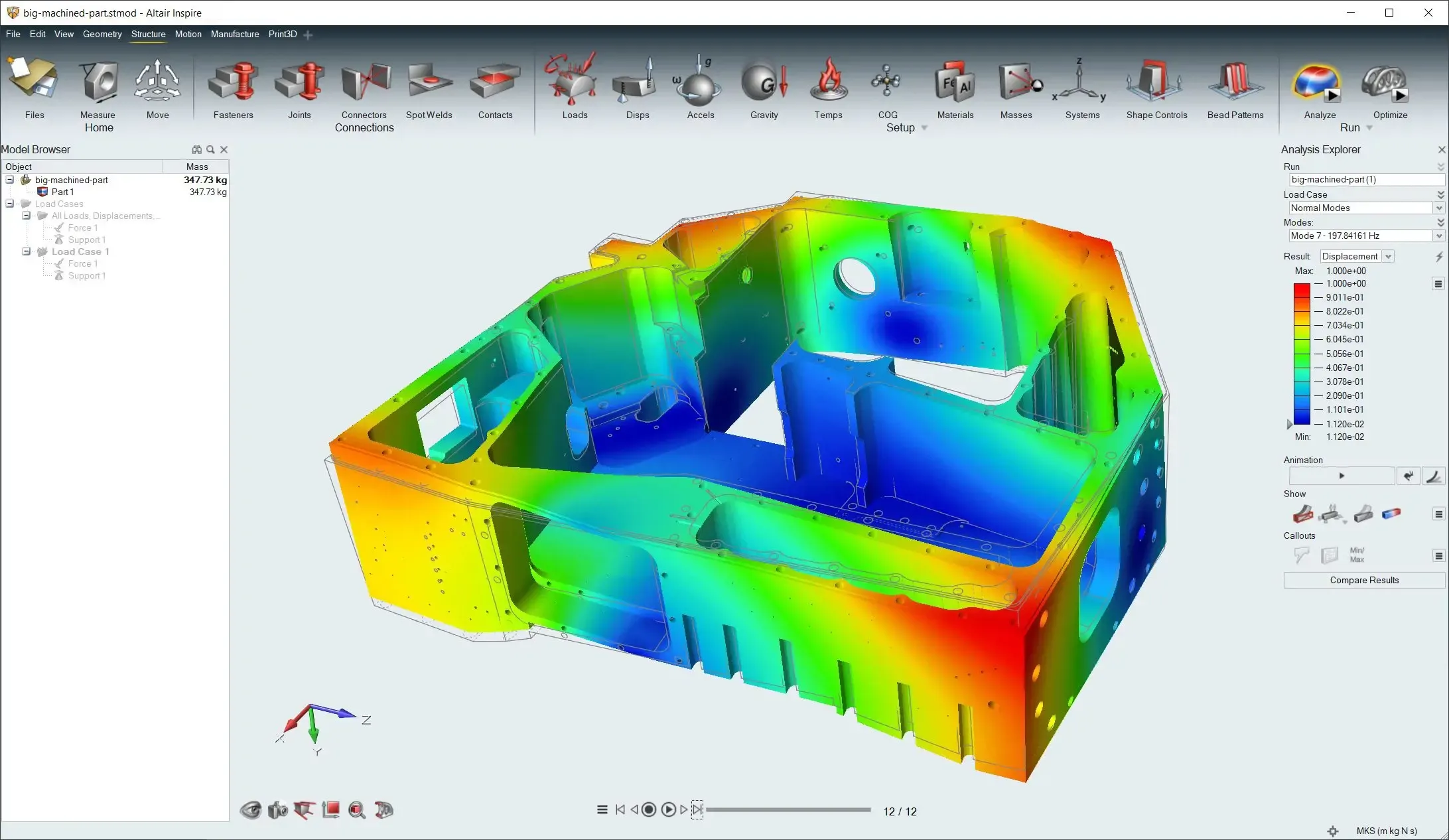 Inspire · Housing Stress Contour
Overview
What Is Altair Inspire Structures?
Altair Inspire Structures is the structural analysis and optimization environment within Altair Inspire. Engineers define connections, loads, supports, materials, masses and other structural setup data, then run analysis and optimization studies in the same modeling environment where the geometry lives.
It supports linear static, normal modes and buckling analysis, plus topology, topography and gauge optimization, solved with SimSolid or OptiStruct. With the June 2026 Simcenter release, former Altair products joined the Siemens Simcenter family, so Inspire Structures is now part of Simcenter Inspire. TrueInsight licenses and supports it under either name.
- Linear Static, Normal Modes and Buckling Analysis
- Topology, Topography and Gauge Optimization
- SimSolid or OptiStruct Solver Paths
- Analysis Explorer With PPT and PDF Reports
 Optimized Arm · Powder Bed Fusion
Key Capabilities
Structural Analysis and Optimization Inside Altair Inspire
Inspire Structures brings setup, solving and result review into one environment, so designers can check and improve a concept where they model it.
Embedded Structural Analysis
Run linear static, normal modes and buckling studies directly in the structural workflow, with SimSolid or OptiStruct as the solver depending on the analysis path you need.
Structural Optimization for Lightweighting
Set up topology, topography and gauge optimization to remove unnecessary mass, refine structural form or tune thickness on suitable design spaces.
Connections and Assembly Setup
Define fasteners, joints, connectors, spot welds and contacts for part- and assembly-level studies.
Loads, Supports and Physical Conditions
Apply forces, torques, pressures, enforced displacements, supports, accelerations, gravity and temperature-related conditions.
Mesh Control and Solver Export
Assign mesh controls where needed, then export solver models as .fem or .ssp files for further work in OptiStruct or SimSolid.
Results Review and Reporting
Compare runs, animate behavior and add callouts in the Analysis Explorer, then generate PowerPoint or PDF reports for design reviews.
Structural Analysis
Linear Static, Normal Modes and Buckling Analysis
Inspire Structures runs the analysis types designers rely on for early structural decisions: stress and displacement under static loads, natural frequencies and mode shapes, and buckling. Each study can be solved with SimSolid or OptiStruct, depending on the analysis path you need.
- Linear Static Analysis for Stress and Displacement
- Normal Modes for Natural Frequencies
- Buckling Analysis for Stability
- Variables and Load Cases for Comparing Scenarios
Need more physics? Export the model: SimSolid analyzes full CAD assemblies without meshing, and OptiStruct covers nonlinear, NVH, fatigue and explicit analysis on detailed models.
Structural Optimization
Topology, Topography and Gauge Optimization
Define design spaces, then set study-specific controls, including thickness-related settings, and constraint-driven objectives for stiffness, mass or frequency. Topology optimization finds an efficient material layout inside the design space, topography adds bead patterns to thin panels, and gauge optimization tunes part thicknesses.
The result is a lighter concept that still meets its targets, ready to review before detailed design. Read our guide to topology optimization software and methods for how the process works.
- Design Spaces With Study-Specific Controls
- Objectives and Constraints for Stiffness, Mass or Frequency
- Topology Optimization for Efficient Layouts
- Topography and Gauge Optimization for Thin-Walled Parts
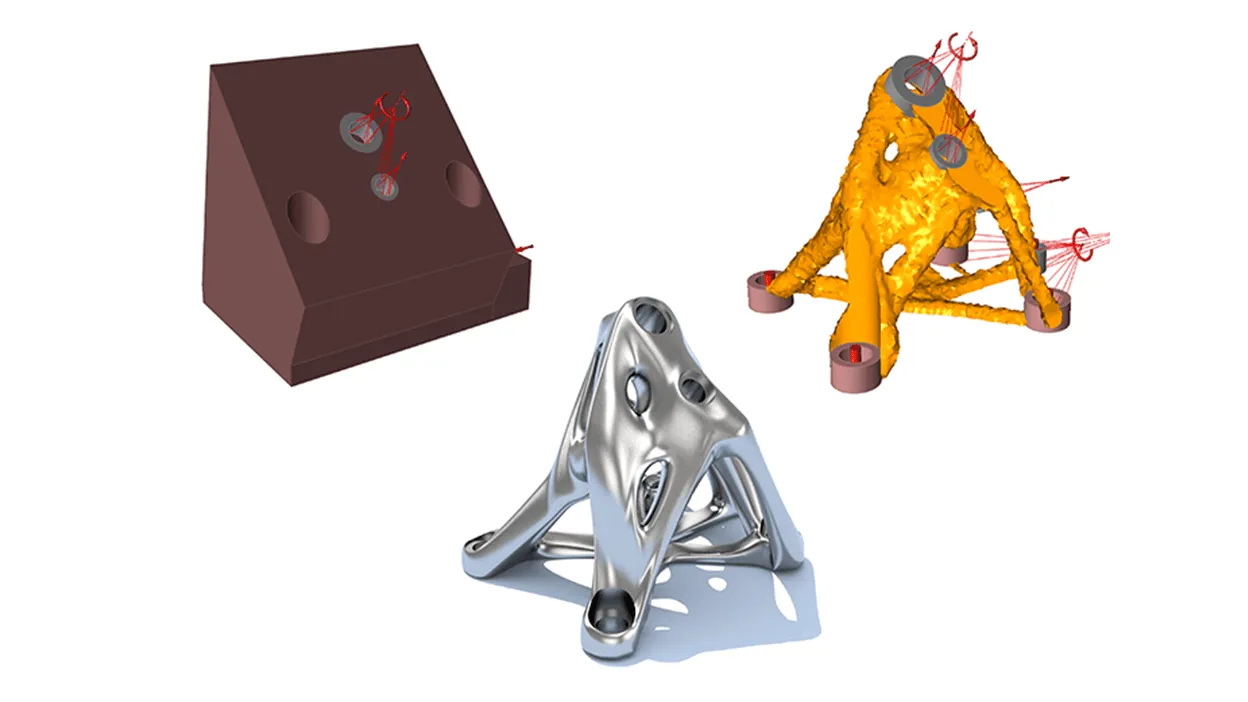 Design Space · Concept · Part
Model Setup
Complete Structural Setup for Parts and Assemblies
Everything a structural study needs is defined in the same environment as the geometry, from connections between parts to load cases and coordinate systems.
- Materials, Libraries and Concentrated MassesCreate materials, assign them to parts, organize material libraries and add concentrated masses where the model needs them.
- Variables, Load Cases and Coordinate SystemsParameterize inputs with variables, work with load cases and apply user-defined coordinate systems to supports, loads and displacements.
- Mesh Controls Where They MatterAssign mesh controls to the regions that need them before you run the analysis.
Prepare the Model
Define parts, materials and design spaces in Altair Inspire.
Connect and Load It
Add fasteners, joints, contacts, loads and supports.
Analyze or Optimize
Run the study with SimSolid or OptiStruct as the solver.
Review and Report
Compare runs in the Analysis Explorer and export PPT or PDF reports.
Results and Next Steps
Analysis Explorer, Reports and Solver Export
The Analysis Explorer lets you inspect and compare results, animate behavior and add callouts, then create quick or customized PowerPoint and PDF reports for design reviews and hand-off.
When a concept needs deeper work, export the solver model as a .fem file for OptiStruct or a .ssp file for SimSolid. Optimized shapes can also move on to manufacturing checks in Altair Inspire, which includes simulation for additive manufacturing, casting and other processes.
- Compare Runs and Animate Results
- Quick or Customized PPT and PDF Reports
- Solver Models Exported for OptiStruct and SimSolid
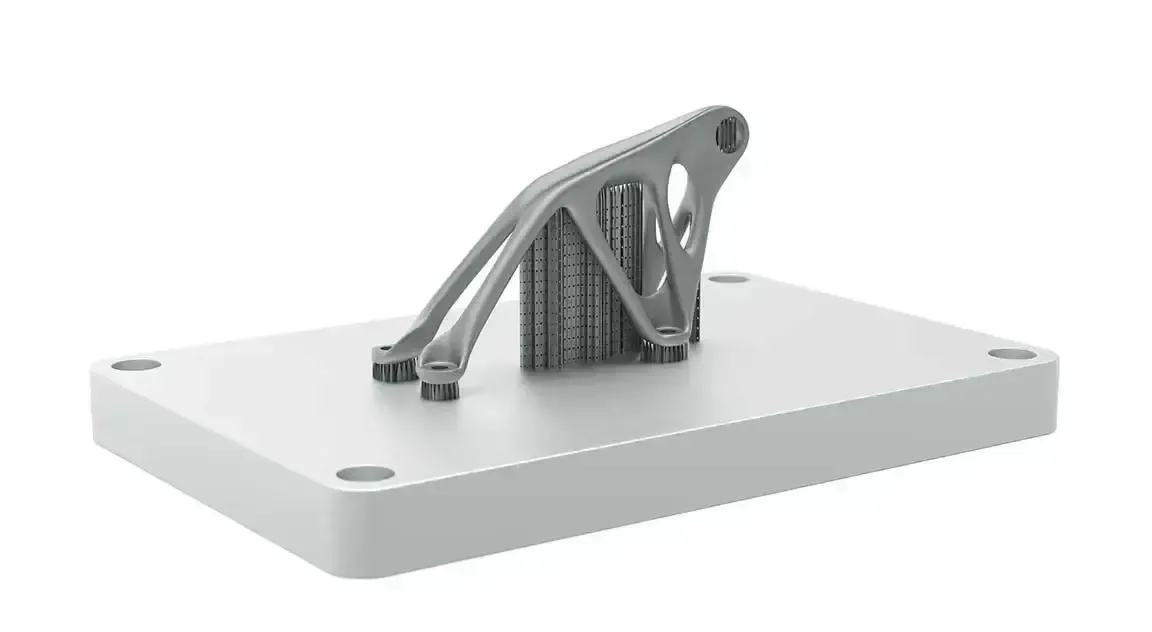 Optimized Bracket · Build Plate
Choosing a Tool
Inspire Structures vs OptiStruct
Inspire Structures can use OptiStruct as its solver, but the two serve different stages of the design. Both run on the same Altair Units license, so pick by who builds the model and how much physics the question needs.
| Consideration | Inspire Structures | OptiStruct |
|---|---|---|
| Built For | Designers working on concepts in Inspire’s CAD-like environment | Analysts building detailed finite element models for sign-off |
| Analysis Types | Linear static, normal modes and buckling | Linear and nonlinear, NVH, fatigue, thermal, multiphysics and explicit events |
| Optimization | Topology, topography and gauge | Topology, topography, size, shape, free-size, lattice and composite |
| Model Input | Geometry, design spaces, connections and loads defined in Inspire | Finite element models from HyperMesh or other pre-processors |
| Solver | SimSolid or OptiStruct, chosen per study | OptiStruct, scaling on CPUs and GPUs |
| Hand-Off | Exports .fem models for OptiStruct and .ssp models for SimSolid | Takes exported .fem models further for detailed analysis and optimization |
The two work together: designers optimize and check concepts in Inspire Structures, then export .fem models when analysts need OptiStruct’s full range of analysis. See Altair OptiStruct for the solver in depth.
Licensing & Pricing
Inspire Structures Price and Altair Units Licensing
Inspire Structures is not sold as a fixed-price, single-product seat. It is licensed through Altair Units, a pooled subscription that also runs SimSolid, OptiStruct, HyperMesh and the rest of the Altair portfolio.
Your Inspire Structures cost depends on how many engineers design and analyze at the same time and which other applications draw from the same pool. We size a proposal from your workflows instead of quoting a list price.
- Annual Subscription Sized to Your Concurrent Users
- The Same Units Also Run SimSolid, OptiStruct and HyperMesh
- Startup, Academic and Competitive-Replacement Programs Available
- Installation, License Server Setup and Onboarding Included
Browse the full Altair software portfolio, read more about Altair licensing and support or see how engineering software pricing works across Altair and Siemens.
Get Inspire Structures Pricing
Tell us what you design and how many engineers analyze. We’ll size an Altair Units proposal.
Thanks, Your Request Is In
An application engineer will follow up with next steps.
Training & Services
Inspire Structures Training and Support
TrueInsight is an official Altair channel partner that helps teams evaluate, deploy and use simulation tools in real engineering workflows. For Inspire Structures, that includes licensing guidance, onboarding, implementation support, training and solver-path guidance.
We help you build repeatable structural analysis and optimization workflows, from the first linear static study to optimization runs that feed design reviews. Need analysis done for you? Our FEA consulting and training services can run the study.
- Choosing Between the SimSolid and OptiStruct Solver Paths
- Setting Up Design Spaces, Connections and Load Cases
- Interpreting Optimization Results for Design Reviews
Guides and Articles
- Topology Optimization Software and MethodsHow optimization finds the best layout.
- What’s New in Inspire 2026.1: Optimizing With a Porosity ConstraintOptimization that accounts for casting porosity.
- SimSolid vs HyperMesh and OptiStructWhen you actually need a mesh.
- Structural Analysis SoftwareEvery Altair structural tool in one place.
From the Blog
Structural Design Articles
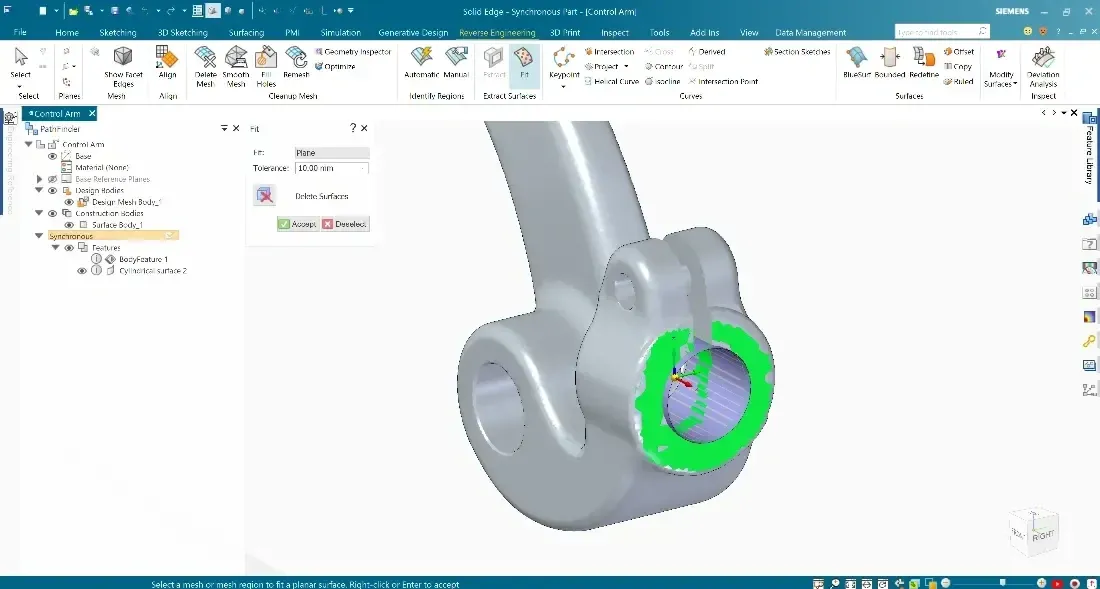
How Simulation Users Can Get More From Siemens CAD Tools Like Solid Edge and NX
Simcenter SimSolid works directly on native Siemens Solid Edge and NX geometry, no meshing, no geometry cleanup. Find out how.
Read Article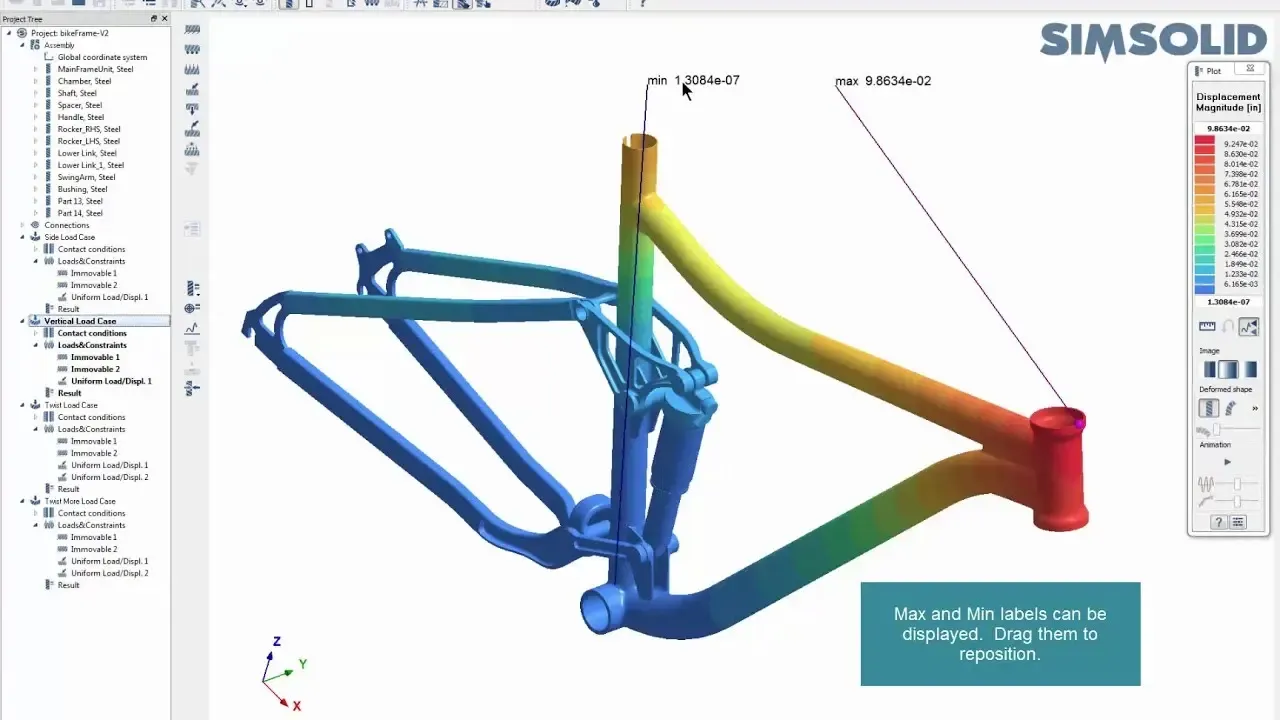
How Tight Should Your Connection Tolerances Be in Simcenter SimSolid?
In this post we show how to take advantage of the ability to work with imperfect geometry and optimize tolerances/gaps.
Read ArticleFAQ
Frequently Asked Questions About Inspire Structures
What Is Altair Inspire Structures Used For?
It is used to set up structural analysis and structural optimization studies inside Altair Inspire, including model setup, solver selection, result review and reporting.
What Analysis Types Does Inspire Structures Support?
Linear static analysis, normal modes analysis and buckling analysis.
Which Solver Does Inspire Structures Use?
For structural analysis it can use either SimSolid or OptiStruct, depending on the analysis path you need.
Can Inspire Structures Help Reduce Weight?
Yes. It supports topology, topography and gauge optimization for structural improvement and lightweighting, with objectives and constraints for stiffness, mass or frequency. See our guide to topology optimization.
Does Inspire Structures Work With Assemblies and Connections?
Yes. It includes tools for fasteners, joints, connectors, spot welds and contacts, along with loads and supports for assembly-level setup.
Can I Export Results or Solver Files?
Yes. Review results in the Analysis Explorer, export reports as PowerPoint or PDF, and export solver models as .fem files for OptiStruct or .ssp files for SimSolid.
How Is Inspire Structures Different From OptiStruct?
Inspire Structures is built for designers working on concepts in Altair Inspire, with linear static, normal modes and buckling analysis and topology, topography and gauge optimization. OptiStruct is a full FEA solver for detailed models, adding nonlinear, NVH, fatigue, thermal and explicit analysis and more optimization types. Inspire Structures can use OptiStruct as its solver and export .fem models to it.
Is Inspire Structures Now Part of Simcenter Inspire?
Yes. Siemens acquired Altair, and with the June 2026 Simcenter release former Altair products joined the Simcenter family, so Altair Inspire is now Simcenter Inspire and Inspire Structures is part of it. TrueInsight licenses and supports it under either name.
How Much Does Inspire Structures Cost?
Inspire Structures is licensed through Altair Units, so there is no fixed per-seat list price. The cost depends on how many engineers use it at the same time and which other Altair applications share the pool. Request Inspire Structures pricing and we’ll size a proposal to your team.
How Does TrueInsight Support Inspire Structures Users?
As an official Altair channel partner, TrueInsight provides licensing guidance, onboarding, implementation support, training, solver-path guidance and practical help building repeatable structural analysis and optimization workflows.
Get Started
Ready to Take the Next Step With Inspire Structures?
Whether you’re evaluating Inspire Structures for the first time or building optimization into your design reviews, our engineers will help you get reliable results quickly.
- Authorized Siemens & Altair Partner
- Expert Engineering Support
- Licensing Sized to Your Team